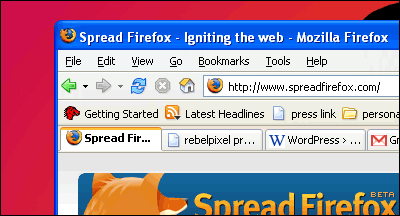
If you haven’t heard of Mozilla Firefox by now you really should visit civilization more often. As many of you know, Firefox is the browser of the future. Free of all the issues and vulnerabilities that is Microsoft Internet Explorer, Firefox has slowly eaten into the browser market, taking away a significant percentage of IE‘s user base in the past few months. And it hasn’t showed signs of slowing down.
A lot of people have written about Firefox’s features and advantages, so I’ll spare you that. Personally, one of the reasons I really like this browser is tabbed browsing and extensions. An MDI approach in browsers benefits users significantly, and Firefox put to good use this feature pioneered by Opera a few years ago.
Tabbrowser extensions is one of the most useful extensions I’ve ever gotten across, and enhances the already great tabbed browsing experience. However, as development continued and features crept in, it turned the once nimble browser into a somewhat sluggish and crash–prone tool. And so I tried Firefox without TBE, but the functionality was never the same. The only option was to go out looking for an extension (or combination of extensions) that would provide the functionality I missed.
And yes I found them! MiniT solves my need for a scrollable tab bar with draggable tabs for rearrangement and bookmarking, and a modified version called miniT+ (listed on the extension’s homepage) allows for configuration of behaviors for clicks and double–clicks on the browser’s tabs and tab bar. Undoclosetab works as the name suggests — it allows you to undo (or reopen) recently closed tabs. Lastly, SessionSaver is used to save currently open tabs, so you can restore your session after accomplishing the work you should’ve finished hours ago! 🙂
Now it wouldn’t hurt if I share other extensions I’ve recently discovered or have been using before, right? Bookmark Backup saves copies of your bookmarks.html, so you can restore your bookmarks even after a crash or corruption of the bookmarks file. Digger adds a context menu to the toolbar’s Go button with several functions for navigation. Configuration Mania provides a configuration panel for editing several of the browser’s hidden options. Gcache is handy for viewing a page’s version in the google cache, in case it has been slashdotted or just plain unavailable. Google Pagerank Status shows a site’s Google Pagerank, handy for knowing just how much “Don’t be evil” credits the site has. 🙂 EditCSS and Web Developer are necessities for all web developers. Launchy enables you to open pages and links in other applications, much like a specialized tool for configuring file associations in the browser. Linky adds several functionality to links, allowing you to open all links in a page in new tabs — when you *stumble* upon pages with multiple links, like *photography* sites. 🙂 Hehehe. Image Toolbar somehow duplicates IE’s image toolbar for easy saving/copying of images to your desktop.
Now you’ve got the perfect browser!


“Free of all the issues and vulnerabilities that is Microsoft Internet Explorer,”
I’m curious what will happen when vunerabilities in Firefox are found, and they WILL be found. Heck, firefox has already succumb to popups/popunders. IE w/ SP2 is still doing better than that…
I love FoxyTunes. Have you tried it? And I would agree that Web Developer is definitely a must.
Maybe surprisingly, I have never installed any tab-related extensions. I felt that TBE is too behemoth but I might give the MiniT and others a try.
been using TBE since v0.8 days.
The only problem I have with piling up extensions for firefox is you have to double your efforts configuring each PC you are using.
For instance, I have a neat firefox in the ofc while at home, I haven’t matched the functionalities I installed in the office.
Much worse, when we have to re-format the whole rig, you have to start from scratch to make firefox function the way it was.
So I’m looking for an extension that will back up/restore your whole bunch of extension. (or something to that effect).
JD, in time more vulnerabilities will be found in Firefox, but I guess its nature of development will allow faster bugfixes and updates from the community itself. Firefox’s separation from the main operating system, unlike IE, also makes it more secure, at least ideally.
Eugene, I haven’t tried FoxyTunes but will surely give it a try. I love my winamp and haven’t really found the need to control it from within another application. But maybe I’m missing something!
TBE is quite bloated now, even the author admits its instability. But it is one fine extension that can do a combination of things no other set of extensions can, at least not easily. I just feel it has outgrown my needs.
AJ, I usually just list down the extensions I’m using and grab a copy of the bookmarks.html file. That works for me somehow, though you really end with something not exactly the same as your previous setup.
Hmm… nice FF tools you got here. I’ll try some of them out.
My favourites, reposted:
window.openmethod open in new tabs instead of new windows.window.clipboardDataobject.userScript.jsfile, which is applied to every page that is loaded.As for the EditCSS, I just use this kick-ass favelet instead.
thanks for the extensions 🙂 go Firefox!
Pre Happy Birthday pala! – from Mimi and Me
PS salamat pala sa tulong sa pc ni mimi. Pinalitan ko na rin processor. Ayos na at firefox na rin ang pinainstall kong browser 😉
Uy karl maraming salamat pre! Pano nyo nalaman? 🙂
Buti naman at naayos na yung PC, so processor talaga sira? Tama yan, Firefox! 😉
uyyy
belated happy birthday 🙂
delish thanks po. 🙂
Belated Markku!
So..nakarating ba lahat? Send mo na ang mga tracks nyo 🙂
i love firefox, i love mozilla and i love opera! 😛 tabbed-browsing is the best chong. thanks for the additional extension links 😀
u have to teach me advanced css and other nerd stuff soon 😛 hahahah
Thank you. 🙂
These extensions come in handy! The SessionSaver in particular, in my opinion, should’ve been included in the base install of Firefox. I used to (and still do on occassion) use Netcaptor for debugging CSS and I always liked how it saved your sessions in that browser.
hahaha… *photography* sites markku? 😀 shuuuuuuuure
thnx fer sharing the plugins, some aren’t even listed at the official site..
AJ: backup both the application folder (in programms) and profile folder (under application data) and you’re all set.
There is a brand new Firefox extension that allows you to create a backup of all your installed extensions and themes. The backups are created in an installable xpi format so you can easily port them to another computer.
It’s called FEBE. More info/download
here
Shadoefax, that seems like an interesting plugin. I’ll be looking into it, and hopefully share it with my readers.